
Flutter OpenAI Integration Tutorial: Streaming Chat UI with a Secure Backend Proxy
Step-by-step tutorial for integrating OpenAI's API into Flutter in 2026. Covers a secure backend proxy, non-streaming and streaming completions, a full chat UI, error handling for 429s, and cost control.
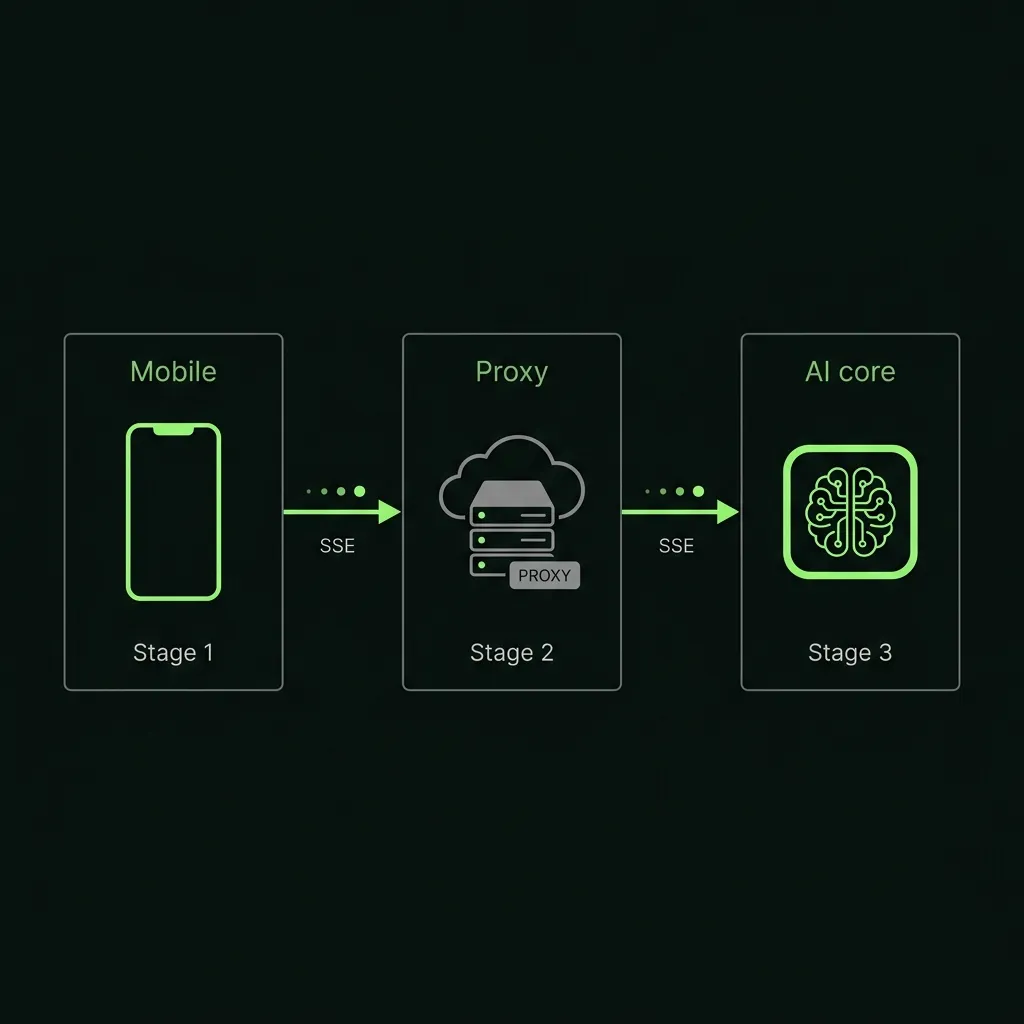
TL;DR: What You’re Building
By the end of this tutorial you’ll have a working Flutter chat screen that streams responses from OpenAI token-by-token, backed by a thin server-side proxy so your API key never touches the app binary. You’ll handle rate limits, network failures, and context-length errors. Those are the parts most tutorials skip.
This post is OpenAI-specific. If you want a side-by-side comparison of OpenAI, Anthropic Claude, and Gemini in Flutter, see the Flutter AI Integration Guide.
For the production architecture and how we structure these engagements, see AI-augmented Flutter development.
Prerequisites
- Flutter 3.19+ and Dart 3.3+ (stable channel)
- An OpenAI account with a funded API key (platform.openai.com)
- Basic familiarity with async Dart and
StreamBuilder - Node.js 20+ or a Cloudflare account for the proxy step
Packages used: dio: ^5.4.0, http: ^1.2.1, provider: ^6.1.2. All are real, current pub.dev packages.
Security Warning: Read Before Writing Any Code
Never embed your OpenAI API key inside the Flutter binary.
Here is why this is not theoretical. APKs are ZIP files. Anyone can run apktool d your_app.apk and search the output for anything that looks like sk-. iOS apps are slightly harder to dump at rest but trivial to intercept at runtime with a MITM proxy like mitmproxy or Charles.
A decompiled strings.dart or env.dart with your key exposed looks exactly like this:
// DO NOT DO THIS — this key will be stolen
const openAiApiKey = 'sk-proj-xxxxxxxxxxxxxxxxxxxxxxxxxxxxxxxxxxxxxxxx';

final response = await http.post(
  Uri.parse('https://api.openai.com/v1/chat/completions'),
  headers: {'Authorization': 'Bearer $openAiApiKey'},
  body: jsonEncode({'model': 'gpt-4o', 'messages': messages}),
);
Real-world outcome: within hours of your app appearing in the wild, automated key-scanning bots will exhaust your quota. OpenAI does not refund this. The minimum viable fix is a one-function backend that holds the key and forwards requests from your authenticated Flutter client.
Architecture Overview
Flutter App
    │
    │  POST /chat  (your JWT or session token — NOT the OpenAI key)
    ▼
Backend Proxy  (Node.js / Cloudflare Worker / Firebase Function)
    │
    │  POST https://api.openai.com/v1/chat/completions
    │  Authorization: Bearer sk-proj-...  (stored in server env var)
    ▼
OpenAI API
    │
    │  SSE stream  (text/event-stream)
    ▼
Backend Proxy  (forwards stream back to Flutter)
    ▼
Flutter App  (parses SSE, appends tokens to UI)
Your Flutter app authenticates to your backend with whatever auth you already have (Firebase Auth JWT, a session cookie, API key scoped to your own users). Your backend holds the OpenAI key in an environment variable. OpenAI never sees anything from the Flutter client directly. We ship this exact topology on every Flutter + LLM project we touch — the proxy layer is non-negotiable in our delivery checklist.
Step 1: Backend Proxy
You need exactly one endpoint: POST /chat. It accepts a messages array, forwards it to OpenAI with streaming enabled, and pipes the SSE response back to the client. That’s it. Our team ships this as a Cloudflare Worker on most projects because the free tier is generous and cold starts are negligible.
Option A: Node.js (Express)
// server.js
import express from 'express';
import fetch from 'node-fetch';

const app = express();
app.use(express.json());

app.post('/chat', async (req, res) => {
  const { messages, model = 'gpt-4o-mini', maxTokens = 1024 } = req.body;

  // Add your own auth check here before forwarding
  // e.g. verifyFirebaseToken(req.headers.authorization)

  const upstream = await fetch('https://api.openai.com/v1/chat/completions', {
    method: 'POST',
    headers: {
      'Content-Type': 'application/json',
      // Key lives in the server environment — never in the client
      'Authorization': `Bearer ${process.env.OPENAI_API_KEY}`,
    },
    body: JSON.stringify({
      model,
      max_tokens: maxTokens,
      stream: true,
      messages,
    }),
  });

  if (!upstream.ok) {
    const err = await upstream.text();
    return res.status(upstream.status).send(err);
  }

  res.setHeader('Content-Type', 'text/event-stream');
  res.setHeader('Cache-Control', 'no-cache');
  upstream.body.pipe(res);
});

app.listen(3000, () => console.log('Proxy running on :3000'));
Option B: Cloudflare Worker
// worker.js
export default {
  async fetch(request, env) {
    if (request.method !== 'POST') {
      return new Response('Method Not Allowed', { status: 405 });
    }

    const body = await request.json();

    const upstream = await fetch('https://api.openai.com/v1/chat/completions', {
      method: 'POST',
      headers: {
        'Content-Type': 'application/json',
        'Authorization': `Bearer ${env.OPENAI_API_KEY}`,
      },
      body: JSON.stringify({
        model: body.model ?? 'gpt-4o-mini',
        max_tokens: body.maxTokens ?? 1024,
        stream: true,
        messages: body.messages,
      }),
    });

    return new Response(upstream.body, {
      status: upstream.status,
      headers: { 'Content-Type': 'text/event-stream' },
    });
  },
};
Deploy with wrangler publish and set OPENAI_API_KEY as a secret (wrangler secret put OPENAI_API_KEY). The Cloudflare free tier handles 100,000 requests/day, which is sufficient for most apps through launch. On our last three Flutter AI builds we stayed on the Cloudflare free tier through the first 30 days post-launch without trouble.
Step 2: Flutter HTTP Client Setup
Add dio to your pubspec.yaml:
dependencies:
  dio: ^5.4.0
  provider: ^6.1.2
Create a service class that points to your proxy, not to api.openai.com:
import 'package:dio/dio.dart';

class OpenAiProxyService {
  static const String _baseUrl = 'https://your-proxy.example.com';

  final Dio _dio = Dio(
    BaseOptions(
      baseUrl: _baseUrl,
      connectTimeout: const Duration(seconds: 10),
      // No response timeout — streaming responses are open-ended
    ),
  );

  /// Attach your own auth token here — Firebase ID token, session JWT, etc.
  void setAuthToken(String token) {
    _dio.options.headers['Authorization'] = 'Bearer $token';
  }
}
Notice: the Authorization header here is your own app’s token, not the OpenAI key. The proxy swaps it for the real key server-side.
Step 3: Non-Streaming Completion
For short responses (single-turn classification, brief answers under ~150 tokens) a blocking call is acceptable. We use this pattern for things like intent labeling or quick lookups where streaming UX adds nothing. Here’s the full request/response cycle:
/// Single-shot completion — blocks until the full response arrives.
/// Only use this for short responses where streaming UX isn't needed.
Future<String> complete({
  required List<Map<String, String>> messages,
  String model = 'gpt-4o-mini',
  int maxTokens = 256,
}) async {
  try {
    final response = await _dio.post<Map<String, dynamic>>(
      '/chat',
      data: {
        'messages': messages,
        'model': model,
        'maxTokens': maxTokens,
      },
    );

    final data = response.data!;
    final choices = data['choices'] as List<dynamic>;
    final content = (choices.first['message'] as Map)['content'] as String;
    return content.trim();
  } on DioException catch (e) {
    _handleDioError(e);
    rethrow;
  }
}

void _handleDioError(DioException e) {
  final status = e.response?.statusCode;
  if (status == 429) throw RateLimitException();
  if (status == 400) throw BadRequestException(e.response?.data.toString() ?? '');
  if (status == 401) throw AuthException();
}
The response structure from OpenAI’s /v1/chat/completions (non-streaming):
{
  "id": "chatcmpl-abc123",
  "choices": [
    {
      "message": { "role": "assistant", "content": "Hello, how can I help?" },
      "finish_reason": "stop"
    }
  ],
  "usage": { "prompt_tokens": 12, "completion_tokens": 8, "total_tokens": 20 }
}
Log usage.total_tokens per request. It’s the only way to catch runaway costs before your bill does. When we audited a client’s usage last year, a single misconfigured prompt was burning 10x the expected tokens per call — and nobody noticed for two weeks.
Step 4: Streaming Completion (SSE in Dart)
Streaming is non-negotiable for any response over ~100 tokens. OpenAI sends Server-Sent Events: newline-delimited data: lines, terminated by data: [DONE]. Each line contains a partial JSON delta with the next token fragment.
/// Streams tokens from OpenAI via SSE.
/// Yields each text fragment as it arrives.
Stream<String> chatStream({
  required List<Map<String, String>> messages,
  String model = 'gpt-4o',
  int maxTokens = 1024,
  double temperature = 0.7,
}) async* {
  late Response<ResponseBody> response;

  try {
    response = await _dio.post<ResponseBody>(
      '/chat',
      data: {
        'messages': messages,
        'model': model,
        'maxTokens': maxTokens,
        'temperature': temperature,
        'stream': true,
      },
      options: Options(responseType: ResponseType.stream),
    );
  } on DioException catch (e) {
    _handleDioError(e);
    rethrow;
  }

  String buffer = '';

  await for (final bytes in response.data!.stream) {
    buffer += utf8.decode(bytes);

    // SSE lines are newline-delimited; a single chunk may contain multiple events
    while (buffer.contains('\n')) {
      final newlineIndex = buffer.indexOf('\n');
      final line = buffer.substring(0, newlineIndex).trim();
      buffer = buffer.substring(newlineIndex + 1);

      if (!line.startsWith('data: ')) continue;
      final payload = line.substring(6).trim();
      if (payload == '[DONE]') return;
      if (payload.isEmpty) continue;

      try {
        final json = jsonDecode(payload) as Map<String, dynamic>;
        final choices = json['choices'] as List<dynamic>?;
        if (choices == null || choices.isEmpty) continue;

        final delta = choices.first['delta'] as Map<String, dynamic>?;
        final content = delta?['content'] as String?;
        if (content != null && content.isNotEmpty) yield content;
      } catch (_) {
        // Malformed SSE chunk — skip without crashing
        continue;
      }
    }
  }
}
Two things worth noting in the SSE parser above. First, buffering is required: Dio can split a single SSE event across multiple byte chunks, so you must accumulate and scan for newlines rather than treating each bytes emit as one complete event. Second, each delta’s content field can be an empty string ("") for role-only events at the start of the stream. Skip those rather than appending whitespace to the UI.
Step 5: Chat UI with Streaming Token Append
A ChangeNotifier with an explicit phase enum handles the four real states: idle, streaming (partial assistant message), complete, and error. We’ve seen too many chat implementations collapse these into a boolean — it makes error handling messy. Don’t model this as a bool.
import 'dart:async';
import 'package:flutter/foundation.dart';

enum ChatPhase { idle, streaming, complete, error, rateLimited }

class ChatMessage {
  final String role; // 'user' or 'assistant'
  final String content;
  ChatMessage({required this.role, required this.content});
  Map<String, String> toMap() => {'role': role, 'content': content};
}

class ChatNotifier extends ChangeNotifier {
  final OpenAiProxyService _service;
  ChatNotifier(this._service);

  final List<ChatMessage> _messages = [];
  String _streamBuffer = '';
  ChatPhase _phase = ChatPhase.idle;
  String? _errorMessage;
  StreamSubscription<String>? _activeStream;

  List<ChatMessage> get messages => List.unmodifiable(_messages);
  String get streamBuffer => _streamBuffer;
  ChatPhase get phase => _phase;
  String? get errorMessage => _errorMessage;

  Future<void> send(String userText) async {
    if (userText.trim().isEmpty) return;

    _messages.add(ChatMessage(role: 'user', content: userText));
    _streamBuffer = '';
    _phase = ChatPhase.streaming;
    _errorMessage = null;
    notifyListeners();

    try {
      final history = _messages.map((m) => m.toMap()).toList();
      final stream = _service.chatStream(messages: history);

      _activeStream = stream.listen(
        (token) {
          _streamBuffer += token;
          notifyListeners();
        },
        onDone: () {
          _messages.add(ChatMessage(role: 'assistant', content: _streamBuffer));
          _streamBuffer = '';
          _phase = ChatPhase.complete;
          notifyListeners();
        },
        onError: (Object e) {
          if (e is RateLimitException) {
            _phase = ChatPhase.rateLimited;
            _errorMessage = 'OpenAI is busy — try again in 30 seconds.';
          } else {
            _phase = ChatPhase.error;
            _errorMessage = 'Request failed. Check your connection.';
          }
          notifyListeners();
        },
      );
    } catch (e) {
      _phase = ChatPhase.error;
      _errorMessage = e is AuthException
          ? 'Session expired — please sign in again.'
          : 'Something went wrong.';
      notifyListeners();
    }
  }

  void cancel() {
    _activeStream?.cancel();
    _activeStream = null;
    _streamBuffer = '';
    _phase = ChatPhase.idle;
    notifyListeners();
  }
}
Wire this into a ListView with a ListenableBuilder:
ListenableBuilder(
  listenable: chatNotifier,
  builder: (context, _) {
    final messages = chatNotifier.messages;
    final isStreaming = chatNotifier.phase == ChatPhase.streaming;
    final buffer = chatNotifier.streamBuffer;

    return ListView.builder(
      itemCount: messages.length + (isStreaming ? 1 : 0),
      itemBuilder: (context, index) {
        if (index < messages.length) {
          final msg = messages[index];
          return MessageBubble(role: msg.role, content: msg.content);
        }
        // In-progress assistant message — show what's arrived so far
        return MessageBubble(
          role: 'assistant',
          content: buffer,
          isStreaming: true, // shows a blinking cursor or shimmer
        );
      },
    );
  },
)
Step 6: Error Handling
Rate limits (429), context-length overruns (400), and network failures each need a different UX response. Treat them separately. In our experience, the biggest mistake is catching all errors in a single handler and showing a generic “something went wrong” message. Users hate it, and it makes debugging impossible.
class RateLimitException implements Exception {}
class AuthException implements Exception {}
class BadRequestException implements Exception {
  final String detail;
  BadRequestException(this.detail);
}
class ContextLengthException implements Exception {}

void _handleDioError(DioException e) {
  final status = e.response?.statusCode;
  final body = e.response?.data;

  switch (status) {
    case 429:
      throw RateLimitException();
    case 401:
      throw AuthException();
    case 400:
      // OpenAI returns a structured error body
      final message = (body as Map?)?['error']?['message'] as String? ?? '';
      if (message.contains('context_length')) throw ContextLengthException();
      throw BadRequestException(message);
    case null:
      // Network error — DioExceptionType.connectionError, etc.
      throw Exception('Network unreachable');
    default:
      throw Exception('Upstream error: $status');
  }
}
An actual 429 response body from OpenAI looks like this:
{
  "error": {
    "message": "Rate limit reached for gpt-4o in organization org-xxx on tokens per min. Limit: 30000, Used: 30000, Requested: 150.",
    "type": "tokens",
    "code": "rate_limit_exceeded"
  }
}
A 400 context-length error:
{
  "error": {
    "message": "This model's maximum context length is 128000 tokens. However, your messages resulted in 129483 tokens.",
    "type": "invalid_request_error",
    "code": "context_length_exceeded"
  }
}
For ContextLengthException, the right UX is to trim the oldest messages and retry automatically. Showing the user a raw context-length error helps nobody. Implement a rolling window: keep the system prompt plus the last 20 turns, summarize anything older into a compressed context string.
For RateLimitException, show a user-readable message and back off. Exponential backoff starting at 5 seconds is what we use as the project default across our Flutter LLM templates:
int _backoffSeconds = 5;

Future<void> retryWithBackoff(Future<void> Function() action) async {
  while (true) {
    try {
      await action();
      _backoffSeconds = 5; // reset on success
      return;
    } on RateLimitException {
      await Future.delayed(Duration(seconds: _backoffSeconds));
      _backoffSeconds = (_backoffSeconds * 2).clamp(5, 120);
    }
  }
}
Step 7: Cost Control
Left unchecked, OpenAI costs will surprise you. Three practical controls:
1. Choose the right model. Our team defaults to gpt-4o-mini for any new Flutter integration and only upgrades when we can demonstrate the quality gap in real test cases. As of mid-2026:
| Model | Input | Output | Best for |
|---|---|---|---|
gpt-4o-mini | $0.15/M tokens | $0.60/M tokens | Most chat, classification, simple summarization |
gpt-4o | $2.50/M tokens | $10/M tokens | Complex reasoning, code generation, structured extraction |
gpt-4-turbo | $10/M tokens | $30/M tokens | Rarely needed — gpt-4o is faster and cheaper |
For a chat assistant handling typical user queries, gpt-4o-mini is the correct starting point. Use gpt-4o only when output quality is measurably insufficient. One of our clients ran a side-by-side blind eval across 200 production queries and found gpt-4o-mini was indistinguishable from gpt-4o for their support assistant — they kept the mini model and saved roughly $1,800/month.
2. Set a max_tokens cap per request. Every request should have an explicit cap. Without it, a single runaway prompt can consume thousands of tokens. A reasonable default for a chat assistant is 512 tokens; for summarization, 256; for code generation, 1024.
3. Rate-limit at the proxy. Your backend proxy is the right place to enforce per-user token budgets. A simple in-memory approach for low scale:
// In your Node.js proxy
const tokenUsage = new Map(); // userId -> tokens used this hour

app.post('/chat', async (req, res) => {
  const userId = req.user.uid; // your auth middleware sets this
  const hourKey = `${userId}:${Math.floor(Date.now() / 3_600_000)}`;
  const used = tokenUsage.get(hourKey) ?? 0;

  if (used > 50_000) {
    return res.status(429).json({ error: 'Hourly token limit reached' });
  }

  // ... forward to OpenAI ...
  // After response, update usage:
  // tokenUsage.set(hourKey, used + responseTokens);
});
For production, use Redis or Cloudflare KV instead of an in-memory map. The pattern is the same.
Common Mistakes
Blocking the UI without streaming. A chat message that takes 6 seconds to appear as a single JSON blob is a bad experience when the first token could arrive in under a second. Always use stream: true. The SSE parser above handles it correctly.
API key in the Flutter binary. Covered in the security section. When your app goes live, automated key-scanning bots typically find embedded keys within hours. The Cloudflare Worker proxy in Step 1 is a one-hour fix that protects you indefinitely.
No rate-limit handling at the proxy. Without a per-user cap, a single heavy user (or an attacker who clones your app) can exhaust your OpenAI quota and leave other users getting errors. Build the token budget into the proxy from day one, not as a retrofit.
Sending the full message history every turn. A 20-message conversation with verbose messages can easily hit 8,000-12,000 tokens per request. At gpt-4o prices, that’s $0.025-$0.12 per turn. We cap history at 15 turns by default and summarize anything older with a cheap gpt-4o-mini call. Implement a rolling window or summarize older turns.
No max_tokens on requests. OpenAI will generate until its natural stopping point, which can be 2,000+ tokens for a verbose model on an open-ended prompt. Always cap it.
When to Use Anthropic Claude or Gemini Instead
OpenAI is a strong default for most chat and code-generation tasks. Consider switching providers when:
- Structured output reliability matters more than raw reasoning. Claude’s output formatting and instruction-following is measurably tighter on most benchmarks as of mid-2026.
- Volume is high and budget is tight. Gemini 1.5 Flash at $0.075/M input tokens is 2x cheaper than
gpt-4o-minifor classification tasks. - You need a multi-provider fallback. The proxy pattern above makes it straightforward to swap the upstream URL per-request.
The integration pattern is identical: proxy, SSE stream, same Dart parser. For a full comparison of OpenAI, Claude, and Gemini in Flutter with actual benchmarks, see the Flutter AI Integration Guide.
FAQ
Can I call the OpenAI API directly from Flutter with the key in dotenv or a config file?
Which OpenAI model should I use for a Flutter chat app in 2026?
Does the `dart_openai` package handle streaming?
How do I handle a context-length exceeded error (400)?
What is the right `temperature` for a chat assistant?
How do I test OpenAI integration without burning real tokens?
What happens if the user sends a message while a previous stream is still running?
What’s Next
You now have a working Flutter chat app backed by a secure proxy, streaming SSE, a state model that handles real error cases, and cost controls that won’t surprise you at month end.
The next layer of complexity (RAG, tool calling, conversation memory across sessions) builds directly on this foundation. The proxy pattern scales to all of it.
Our AI-augmented Flutter delivery team ships this kind of integration regularly. We have pre-built service abstractions for the streaming layer, proxy templates for Node.js and Cloudflare Workers, and a prompt library for common Flutter tasks. Features that would take a new team a sprint to scaffold take us a day.
If you’re building an AI-powered Flutter app and want to move faster, talk to a Flutter lead today. Scope and quote within 48 hours.
More from the blog

Flutter AI Integration Guide: LLMs, On-Device ML, and What Actually Ships
Practical guide to integrating AI into Flutter apps in 2026: cloud LLM APIs (OpenAI, Claude, Gemini), on-device ML with tflite_flutter and ML Kit, streaming patterns, state management, and real cost numbers.
How We Ship Flutter Apps 2× Faster: Claude Code, Cursor, GetWidget, and a 30-Prompt Library
Inside the AI-augmented Flutter workflow we use on every project: Claude Code for agentic multi-file edits, Cursor for in-IDE refactoring, the GetWidget UI kit as a component fabric, and a 30+ prompt library refined across 1,000+ projects. Real velocity data, honest tradeoffs, and the 30% AI still can't own.
Flutter Developer Hourly Rates 2026: India vs US vs Eastern Europe vs LATAM
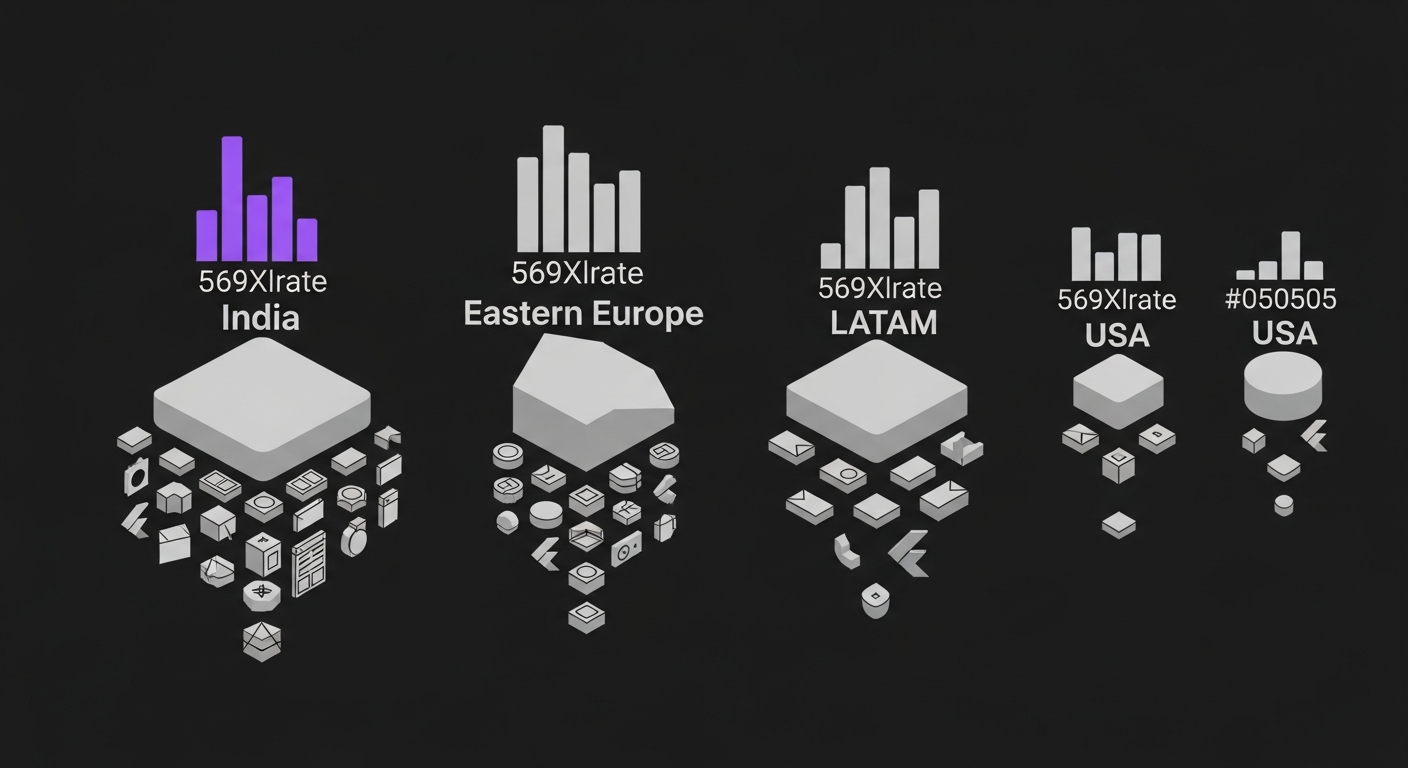
Honest 2026 comparison of Flutter developer hourly rates across India, USA, Eastern Europe, and LATAM. Real numbers from our hiring desk, not vendor marketing.
Hire vetted, AI-accelerated Flutter developers.
From $18/hr Junior to $60/hr Lead. 48-hour developer match. 30-day replacement guarantee.