
How We Ship Flutter Apps 2× Faster: Claude Code, Cursor, GetWidget, and a 30-Prompt Library
Inside the AI-augmented Flutter workflow we use on every project: Claude Code for agentic multi-file edits, Cursor for in-IDE refactoring, the GetWidget UI kit as a component fabric, and a 30+ prompt library refined across 1,000+ projects. Real velocity data, honest tradeoffs, and the 30% AI still can't own.
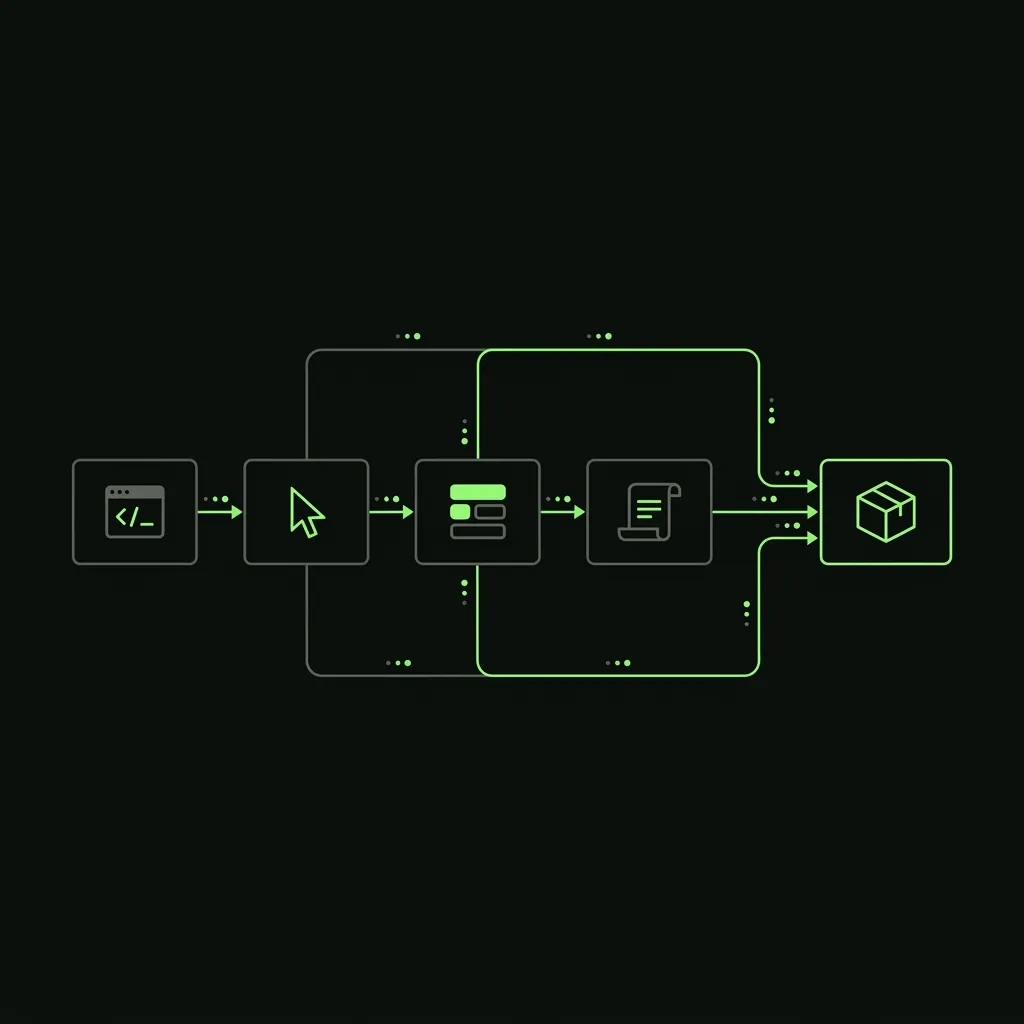
We’ve been measuring this for two years. Across our last 12 tracked Flutter projects, the AI-augmented workflow cut hours-to-MVP by 35–65% compared to matched-scope estimates without it. Not “we think it’s faster.” Timestamped Git commits, task-by-task tracking, the same senior developers on both baselines.
This post is the engineering explanation behind that number. Not a list of tools. The actual workflow, the prompts that drive it, the velocity data task by task, and the places where AI still fails you and a human has to step in.
If you want the executive summary: four pillars compound together. Claude Code for agentic edits, Cursor for in-IDE work, the GetWidget UI kit as a component starting point, and a 30+ prompt library pre-debugged across 5–15 projects each. No single pillar does it. Combined, they drive 40–60% faster delivery on standard Flutter work. If you want to see whether this applies to your project, see the full proof data and rates on our AI-augmented Flutter development page.
TL;DR — The 4 Pillars and the Numbers
Four tools, each with a defined role, none redundant:
| Pillar | Role | Where it wins |
|---|---|---|
| Claude Code (Anthropic) | Agentic multi-file edits via CLI | Scaffolding, refactors, cross-cutting feature adds |
| Cursor | In-IDE inline AI | Single-file rewrites, test generation, quick refactors |
| GetWidget UI kit | Open-source Flutter component library (100k+ apps) | UI implementation — 30+ pre-built, theme-aware components |
| Internal prompt library | 30+ vetted Flutter prompts | State setup, REST clients, test scaffolds, Firebase integration |
Velocity numbers from our internal benchmarks (real project, timestamped commits):
| Task | Without AI workflow | With AI workflow | Reduction |
|---|---|---|---|
| 6-screen MVP scaffolding | 40 hrs | 14 hrs | 65% faster |
| REST API client (20 endpoints) | 16 hrs | 4 hrs | 75% faster |
| UI implementation from Figma (15 screens) | 60 hrs | 22 hrs | 63% faster |
| State management migration (Provider → Riverpod) | 24 hrs | 9 hrs | 62% faster |
| Test scaffolding (50 tests) | 20 hrs | 10 hrs | 50% faster |
| Hard performance optimization | 16 hrs | 14 hrs | 12% faster |
| Novel architecture design | 12 hrs | 11 hrs | 8% faster |
| TOTAL — full MVP delivery | 188 hrs | 84 hrs | 55% faster |
The last two rows matter. AI barely moves the needle on performance debugging or architecture. Anyone claiming 2× faster on hard engineering is overstating it. The gains are real and large in scaffolding, transformation, and test generation. They are modest-to-negligible on genuinely hard problems. We’ll come back to that.
The AI-augmented Flutter development page has the methodology note about how we tracked this and how to request the commit log.
Before / After — A Flutter Dev Day in 2022 vs 2026
2022: 60–70% of time on work that didn’t need senior judgment
A typical day for a senior Flutter developer in 2022:
- Morning: Review spec, manually scaffold model classes from API docs (1–2 hours). Write the Dart models by hand, one field at a time, add
fromJson/toJsonmanually or with build_runner. - Midday: Wire up the REST client. Write the Dio instance, the interceptors, the endpoint methods. Another 1–2 hours for a medium-sized feature.
- Afternoon: Implement the UI from a Figma file. Look up every component: “how do I do a custom bottom sheet again?” Write the widget tree from scratch. Another 2–3 hours.
- Late: Write widget tests. Often skipped because there was no time after the above.
Total output for a day: one feature, partially tested, no time for the edge cases.
The problem wasn’t that developers were slow. It was that senior developers were spending most of their time on pattern-matching work, where the correct answer was already known and the task was just transcription from spec to code.
2026: AI handles the pattern matching; humans own the craft
A typical day now:
09:00–09:30: Async standup. Developer picks the next ticket, reads the spec, drops context into Claude Code: “Implement [ticket], following our existing patterns for state and routing. See lib/features/auth/ for the state pattern and lib/api/ for the REST client pattern.”
09:30–11:30: Claude Code generates the scaffold in one agentic pass. Model classes, the screen, the state notifier, the route registration. Developer reviews each file change, modifies where the AI guessed wrong on app-specific patterns, runs the tests. By 11:30 the first cut is committed locally. Same work that took half a day now takes 2 hours.
11:30–12:30: This is the 30%. Edge cases the spec didn’t mention. Error states that require design judgment. Race conditions in async state. Performance tradeoffs. This is where the developer earns their rate. AI is consulted (“how would Riverpod handle this race condition with two concurrent notifiers?”) but doesn’t drive the decision.
13:30–14:00: Cursor generates test scaffolds from the new code. Developer reviews and fills in what AI missed: edge inputs, empty list states, error-path assertions.
14:00–15:00: PR opened. AI code review pass runs first. Then human peer review. No AI-generated code merges without a human approving it.
Total output: one complete feature, tested, edge-cased, reviewed. The same feature that used to take 2–3 days.
Tool Stack — How Each Piece Earns Its Keep
Claude Code — Agentic Multi-File Edits
Claude Code runs as a CLI alongside the developer’s editor. It reads your entire project context (file structure, naming conventions, existing patterns) before generating anything. That context awareness is the key difference from a generic chatbot. Our AI workflow puts Claude Code at the project layer, working across files, while Cursor stays at the IDE layer for single-file work.
The tasks it genuinely excels at:
- Navigation refactors. “Add a new screen, wire it into go_router, add the corresponding state notifier with Riverpod, and add a widget test.” One instruction, 4–6 files changed correctly.
- Cross-cutting feature adds. “Add analytics events to every user-facing action in the app.” Before AI: touch every screen manually. With Claude Code: one instruction, done in minutes, reviewed in 15.
- State management migrations. Provider to Riverpod. BLoC to Riverpod. These are mechanical transformations across potentially 50+ files. AI does 90% of the work; a developer reviews and handles the 10% where app logic required judgment.
- API client generation from OpenAPI specs. Paste the spec, get a fully typed Dart client with Dio, with your interceptor pattern, with retry logic. The alternative is 2–4 hours of manual transcription.
The configuration that makes it work: a CLAUDE.md file at the project root with the architecture conventions, state management choice, naming patterns, and packages in use. Claude Code reads this at session start and applies the conventions consistently. Without it, AI output is generic Flutter; with it, output matches your codebase.
Cursor — In-IDE Inline AI
Cursor is the developer’s primary IDE (with the Dart and Flutter extensions configured). It handles inline work: the kind of edit where you’re already in a file and want a fast AI-assisted change without context-switching.
Where it earns its keep:
- “Convert this StatefulWidget to StatelessWidget with Riverpod.” In-place, 30 seconds.
- “Write tests for this notifier: load, success, error states.” Generates a test file stub you fill in.
- “Extract this widget into a separate file with the standard naming convention.”
- “Explain why this BuildContext might be stale here.” Answer in place, no tab switching.
The .cursor/rules file mirrors the CLAUDE.md: project architecture, state patterns, package choices. This ensures Cursor’s inline suggestions match the same conventions as Claude Code’s agentic edits.
GetWidget UI kit — The Component Fabric
GetWidget is an open-source Flutter UI kit with 30+ components covering buttons, cards, alerts, modals, navigation bars, form inputs, loaders, avatars, toasts, and more. It’s used in 100,000+ Flutter apps.
The velocity impact is straightforward: you don’t build what already exists. A button with loading state, a card with elevation variants, a bottom sheet modal. These are each 30–90 minutes to build correctly from scratch (theming, accessibility, edge cases). Starting from GetWidget means those hours don’t exist.
In the velocity table, UI implementation from Figma (15 screens) drops from 60 to 22 hours. Roughly half of that gain comes from AI; the other half comes from not rebuilding standard components.
Because GetWidget is open-source, there’s no black box. Our developers read the implementation, understand what’s happening, and fork components when needed. We’ve contributed bug fixes back to the repo across several projects.
Internal Prompt Library — 30+ Vetted Prompts
This is the most invisible pillar and probably the most valuable.
The prompts are not off-the-shelf ChatGPT prompts. Each one was written by our team for a specific Flutter task, run against 5–15 real projects, debugged for the failure modes (wrong package version, wrong state pattern, incompatible with our Dio setup), and refined until output is production-quality on first pass.
Coverage includes:
- Riverpod Notifier + state class + unit tests
- BLoC event/state/bloc scaffolding
- REST API client from OpenAPI spec (Dio + freezed + json_serializable)
- Firebase Auth integration (email, Google, Apple)
- Firestore CRUD service with error mapping
- go_router route configuration with guards
- Widget test scaffold from screenshot description
- Golden test generation
- Provider → Riverpod migration
- App Store Connect submission script
- Push notification setup (FCM + local notifications)
- Stripe checkout flow
Each prompt encodes the conventions we’ve settled on after 1,000+ projects. They’re what makes Claude Code output fit our codebase without a long review pass.
Real Prompt Examples
These are the actual prompts (lightly trimmed for length). The structure matters as much as the content: specificity, file path references, output constraints.
Prompt 1 — State Management Scaffolding
Generate a Riverpod Notifier for [feature].

Requirements:
- State class with copyWith
- AsyncValue<[State]> on load, success, and error
- Errors mapped to user-facing strings (not raw exception messages)
- Unit tests for: initial state, load success, load error, any mutations
- Match the naming pattern in lib/features/*/state/
- Use ref.watch for dependencies, not global singletons

Output:
- lib/features/[feature]/state/[feature]_state.dart
- lib/features/[feature]/state/[feature]_notifier.dart
- test/features/[feature]/state/[feature]_notifier_test.dart
Used 100+ times across projects. Saves roughly 2 hours of manual scaffolding per feature. The output is reviewed, not shipped raw. The review pass takes 15 minutes, not 2 hours.
Prompt 2 — REST Client from OpenAPI Spec
Generate a Dart REST client from this OpenAPI spec:
[paste spec here]

Requirements:
- One Dart file per API resource (e.g., users_api.dart, orders_api.dart)
- freezed models with json_serializable (run build_runner after)
- Dio with our interceptor stack at lib/core/network/dio_client.dart
- Retry on 5xx with 3 attempts, exponential backoff
- Do NOT retry on 4xx (these are caller errors)
- Map HTTP errors to typed exceptions in lib/core/errors/api_exceptions.dart
- Match naming conventions in lib/api/*/
For a 20-endpoint API, this prompt generates a complete, typed client in about 2 minutes. The alternative is 3–4 hours of manual Dart. The developer still reviews every model and method, but review-speed is 10× faster than write-speed.
Prompt 3 — Widget Test Scaffold from Screen Description
Write widget tests for [ScreenName]:

Visual tests:
- Golden test for the default loaded state
- Golden test for the empty state (no items)

Behavior tests:
- Tapping the primary CTA fires the expected intent or notifier method
- The error banner appears when the notifier is in error state
- The loading skeleton shows during AsyncValue.loading

Use our test helpers in test/_support/widget_test_helpers.dart
Use our mock providers in test/_support/mock_providers.dart
Do not use real HTTP — mock at the Riverpod provider level
Used 80+ times. Test coverage on projects using this prompt is measurably higher because the scaffolding cost is near zero. The developer still writes edge-case tests manually. The baseline tests exist on day one.
Prompt 4 — Architecture Review (Claude Code full context)
Review the current state of lib/features/[feature]/ and identify:

1. Any direct Dio calls that bypass the repository layer
2. Widget-level business logic that should be in a notifier
3. Missing error handling paths (AsyncValue.error never reaches UI)
4. State that belongs in the wrong scope (global notifier for UI-only state)
5. Test gaps — public methods with no test coverage

Output a numbered list. For each issue: file path, line range, and the fix.
Do not make changes — review only.
This runs before every PR. Takes 2–3 minutes. Catches problems a human reviewer would catch in 20, but the human reviewer still approves before merge.
Where AI Accelerates (The 70%) vs Where Humans Own (The 30%)
The 70% — AI is fast, consistent, and sufficient
These are pattern-matching tasks. The correct answer already exists somewhere in the training data or in your codebase. The developer’s job is to specify the pattern and verify the output.
- Model class generation. API returns JSON → Dart models with fromJson/toJson. AI does this correctly and fast. Human checks edge cases (null fields, custom serializers, enum handling).
- REST client scaffolding. OpenAPI spec → typed Dart client. Correct 90% of the time with a good prompt. Human verifies error handling and retry logic.
- UI implementation from specs. “Implement this screen following our widget patterns.” GetWidget + AI gets to 80% of final state fast. Human handles spacing details, animation timing, edge UX states.
- Test scaffolding. “Write widget tests for this screen.” AI generates the test file; human adds the cases AI skipped (empty states, error states, race conditions).
- Refactoring to a new pattern. “Migrate all StatefulWidgets to Riverpod ConsumerWidgets.” Mechanical transformation. AI handles it; human reviews for correctness.
- Boilerplate additions. “Add logging to every route transition.” “Add null safety checks to this service class.” These are time-consuming to do by hand and trivial for AI.
The 30% — Humans own this, AI assists at best
These require judgment, not pattern-matching. AI’s suggestions here are a starting point at best, and often confidently wrong.
- Architecture decisions. Should this feature use Riverpod families or a single notifier with a map? Should the API client be a singleton or injected? Should we split the monolith into feature modules now or wait? These decisions have project-specific context AI doesn’t have access to, and the tradeoffs are non-obvious.
- Hard debugging. “The app is randomly crashing on Android 12 during background audio playback.” AI can suggest common causes, but systematic diagnosis (reading logs, adding instrumentation, bisecting commits) is still human work. We’ve seen AI confidently suggest the wrong fix and waste hours.
- Novel features. A custom animation, a real-time sync architecture, an unusual data structure. Anything outside common Flutter patterns. AI hallucinates package APIs that don’t exist, suggests approaches that look right but break under edge conditions.
- Performance optimization. “This list view stutters when scrolling.” Profiling the frame timeline, identifying the specific expensive build, deciding the right architectural response: this is observational, contextual work. AI can explain jank reduction techniques but can’t tell you which one applies to your specific case without the profile data.
- Shipping decisions. What’s a reasonable MVP cut? Which feature can ship behind a flag? What’s the right release cadence? These are product/client judgment calls that AI has no basis for.
We tell this to clients directly: the velocity gains are real, and they’re largest on the 70%. They’re near zero on the 30%, and that’s fine. The 30% is why you’re hiring senior developers.
The Honest Tradeoffs — Where AI Slows You Down
Publishing a post called “we’re 2× faster” and not mentioning where AI makes things worse would be dishonest. Here are the actual failure modes we’ve hit:
Version drift. AI training data has a cutoff date. Dart packages evolve. We’ve had Claude Code generate code using a go_router API from two versions back, or suggest a Firebase Auth method that was deprecated in a recent SDK update. The fix: the CLAUDE.md specifies current package versions, and developers verify generated import statements against pubspec.lock.
Hallucinated package APIs. For less-common packages (flutter_secure_storage, background_fetch, flutter_local_notifications), AI will sometimes generate method calls that don’t exist or have different signatures than stated. Always check the generated code against the actual package documentation, not AI’s description of the documentation.
Niche packages, bad suggestions. Some Flutter integrations (specific payment processors, regional map SDKs, unusual sensor packages) have sparse training data. AI output for these is unreliable. It can produce code that compiles but behaves incorrectly, or suggest integration patterns that don’t match the package’s actual threading model.
Context window confusion on large codebases. Once a codebase crosses ~80,000 lines, Claude Code can start producing output that’s inconsistent with parts of the codebase it “read” earlier in the session. Symptoms: violating naming conventions established in a file it saw earlier, or reverting a pattern you corrected 20 minutes ago. Mitigation: explicit CLAUDE.md conventions, shorter agentic sessions with clear scope boundaries.
Overconfident refactors. Ask AI to “refactor this feature to be more maintainable” without tight constraints and you’ll get something that builds and tests clean but introduces architectural drift: abstracting things that didn’t need abstracting, adding a layer that doesn’t match your project conventions. Tighter prompts with explicit output constraints prevent this.
The 15-minute review that should have taken 5. Sometimes AI generates 400 lines of correct-looking code that requires a thorough review because you can’t tell from a skim whether the edge cases were handled. Factor in review time when estimating. Review-gating everything is the practice that keeps quality high; it’s also a real time cost.
When to skip AI entirely:
- You’re debugging a crash and need to read the actual stacktrace carefully. AI consultation during active debugging is helpful; AI-driven debugging isn’t.
- You’re doing security-critical code: auth token storage, payment handling, cryptography. Write these manually, review them manually.
- You’re writing a custom Flutter renderer or deep platform channel work. AI’s knowledge of platform-channel internals is thin and gets stale fast.
- The task is genuinely novel with no existing Flutter pattern to match. AI will guess; the guess will look plausible; it will probably be wrong in a subtle way.
Tooling Configuration We Use
This is the configuration layer that most “AI for Flutter” content skips. The raw tools without configuration produce generic output. The configuration is what makes output fit your codebase. We’ve refined ours across 1,000+ projects.
CLAUDE.md — Project Memory
Every project has a CLAUDE.md at the root. Claude Code reads this at session start. Ours includes:
## Architecture
- State management: Riverpod (AsyncNotifier pattern)
- Navigation: go_router 13.x — see lib/core/router/
- HTTP: Dio 5.x with interceptors at lib/core/network/dio_client.dart
- Models: freezed + json_serializable (run build_runner after changes)
- DI: Riverpod providers — no get_it, no singleton services

## Naming
- Feature folders: lib/features/[feature_name]/
- State files: [feature]_state.dart, [feature]_notifier.dart
- Screen files: [feature]_screen.dart
- Tests mirror lib/ structure under test/

## Packages (current versions, always verify against pubspec.lock)
- flutter_riverpod: 2.5.x
- go_router: 13.x
- dio: 5.x
- freezed: 2.5.x
- flutter_test (core), mocktail (mocks)

## Never
- No direct Dio calls in widgets
- No business logic in build() methods
- No unawaited Futures in tests
Cursor Rules
The .cursor/rules file mirrors the CLAUDE.md conventions for in-IDE suggestions:
# Flutter project conventions
- State: Riverpod AsyncNotifier
- Router: go_router (see lib/core/router/app_router.dart)
- HTTP: Dio via lib/core/network/dio_client.dart
- Models: freezed; run build_runner after model changes
- Tests: use mocktail, test helpers in test/_support/
- Always handle loading + error states — no missing AsyncValue cases
MCP Server for Flutter-Specific Tools
For projects where we’re doing heavy Flutter tooling work (custom linting, pub package research, CI configuration), we add a Flutter-specific MCP server that gives Claude Code access to:
pub.devpackage metadata (check current version, read README)- The project’s
pubspec.lock(validate that generated package calls match installed versions) - Flutter device list (for choosing emulator targets in generated CI scripts)
This is a project-specific setup that takes 30 minutes to configure and pays off over a multi-month engagement. For short projects (under 4 weeks), we skip it and manage version drift manually via the CLAUDE.md version pins.
Quality Guardrails — What Keeps AI-Generated Code From Shipping Bugs
Speed without quality is just faster failure. Here’s the actual review stack:
1. AI Code Review Pass (First)
Before the PR goes to a human, an AI review pass runs against the diff. It flags:
- Null safety violations and unsafe casts
- State management anti-patterns (business logic in widgets, missing error paths)
- Incomplete AsyncValue handling (only handling
data, ignoringloadinganderror) - Missing error handlers in async methods
- Obvious performance issues (expensive builds, unneeded rebuilds)
This catches roughly 60% of the review comments a human would leave. It’s not perfect. It misses architectural concerns, ambiguous spec interpretations, and business logic errors, but it clears the easy problems before the human reviewer touches it.
2. Human Peer Review (Always Required)
Every PR has at least one human reviewer at Mid tier or above. No AI-generated code merges without a human approval. Full stop.
The human reviewer focuses on what AI can’t assess well:
- Does this implementation match the actual product intent, not just the spec as written?
- Are there edge cases the spec didn’t mention that this implementation needs to handle?
- Does this architectural choice compound well with where the codebase is heading?
- Is the test coverage actually testing the right things, not just achieving line coverage?
3. Senior / Lead Review on Architecture Changes
Any change that touches the architecture (modifying a base class, changing the state management approach for a feature, adding a new shared service) requires a Senior or Lead review, not just Mid.
AI is disproportionately risky on architecture. A wrong architecture that builds and tests clean will compound into a large debt. An AI-generated feature that breaks in one screen is a PR comment. An AI-generated architectural pattern that’s wrong scales across the codebase before anyone notices.
4. No-Merge Without Human Rule
This is the rule we state explicitly in client engagements: AI generates; humans decide what ships. If a developer is stuck, AI-suggested code that they can’t fully explain does not go in the PR. Understanding the code you’re shipping is a baseline, not a stretch goal.
Cost and Subscription Overhead for Clients
Zero. Claude Code, Cursor, and GitHub Copilot are included in our operational costs. Our hourly rates ($18/hr Junior to $60/hr Lead) are the all-in cost. Clients see the velocity gain as fewer hours billed, not a higher rate.
This is actually a competitive alignment: if we charged extra for AI tooling, we’d have an incentive to run up AI tool usage. When it’s included, our incentive is to use it only where it actually saves billable hours.
The subscription cost for the tool stack per developer: roughly $80–$120/month (Claude Pro, Cursor Pro, Copilot). Against a developer billing 160 hours/month at $28/hr (Mid tier), that’s under 0.3% of revenue. Not a pricing lever worth separating out.
See the full rate breakdown and what’s included at each tier.
Related reading
- Flutter AI Integration Guide — LLMs, On-Device ML, Streaming — the in-app AI integration patterns that pair with this development-time workflow.
- AI Mobile App Development Cost in 2026 — what the AI features themselves add to project budgets, separate from the dev-velocity gains here.
FAQ
Will AI-generated code reduce quality or create maintainability problems down the road?
What tools specifically? Is it just GitHub Copilot?
Can you show proof of the speed claims?
Does this work for greenfield apps AND legacy codebases?
What about security? Is my code being used to train AI models?
What happens when AI gets something wrong and ships a bug?
What's the minimum project size where AI workflow makes sense?
What This Means for AI Mobile App Development
Most “AI mobile app development” content is about no-code builders: tools that generate apps from prompts without writing Dart. That’s a different product category. It’s useful for prototypes, internal tools, and simple apps where Flutter’s strengths (custom UI, native performance, single codebase for iOS/Android/web) aren’t requirements.
What we’re describing is something different. AI as a force multiplier on expert Flutter developers, not a replacement for them. The developer still writes Dart. They still make architecture decisions. They still own what ships. AI takes the boilerplate off their plate so they can do more of the work that actually requires their expertise.
In our experience, the result is closer to “more senior developer output at a mid-level cost” than “no developer needed.” AI lifts Junior developers to produce Senior-quality scaffolding. It lets Senior developers spend their hours on hard problems instead of transcription. That’s a real efficiency: measurable, repeatable, and transparent enough that we can show you the commit history.
If you’re evaluating AI-augmented Flutter teams and want to understand how ours works in practice, the AI-augmented Flutter development page has the detailed workflow, the full velocity table with methodology, and a 30-minute walkthrough offer on a project of your choice. Real code, real timestamps, no pitch deck.
For the technical side of shipping AI features inside your Flutter app (streaming LLM calls, on-device ML Kit, state management for async AI responses), see the companion post: Flutter AI Integration Guide.
Ready to talk specifics? Book a discovery call and tell us what you’re building. Scope and quote within 48 hours.
More from the blog

Flutter AI Integration Guide: LLMs, On-Device ML, and What Actually Ships
Practical guide to integrating AI into Flutter apps in 2026: cloud LLM APIs (OpenAI, Claude, Gemini), on-device ML with tflite_flutter and ML Kit, streaming patterns, state management, and real cost numbers.
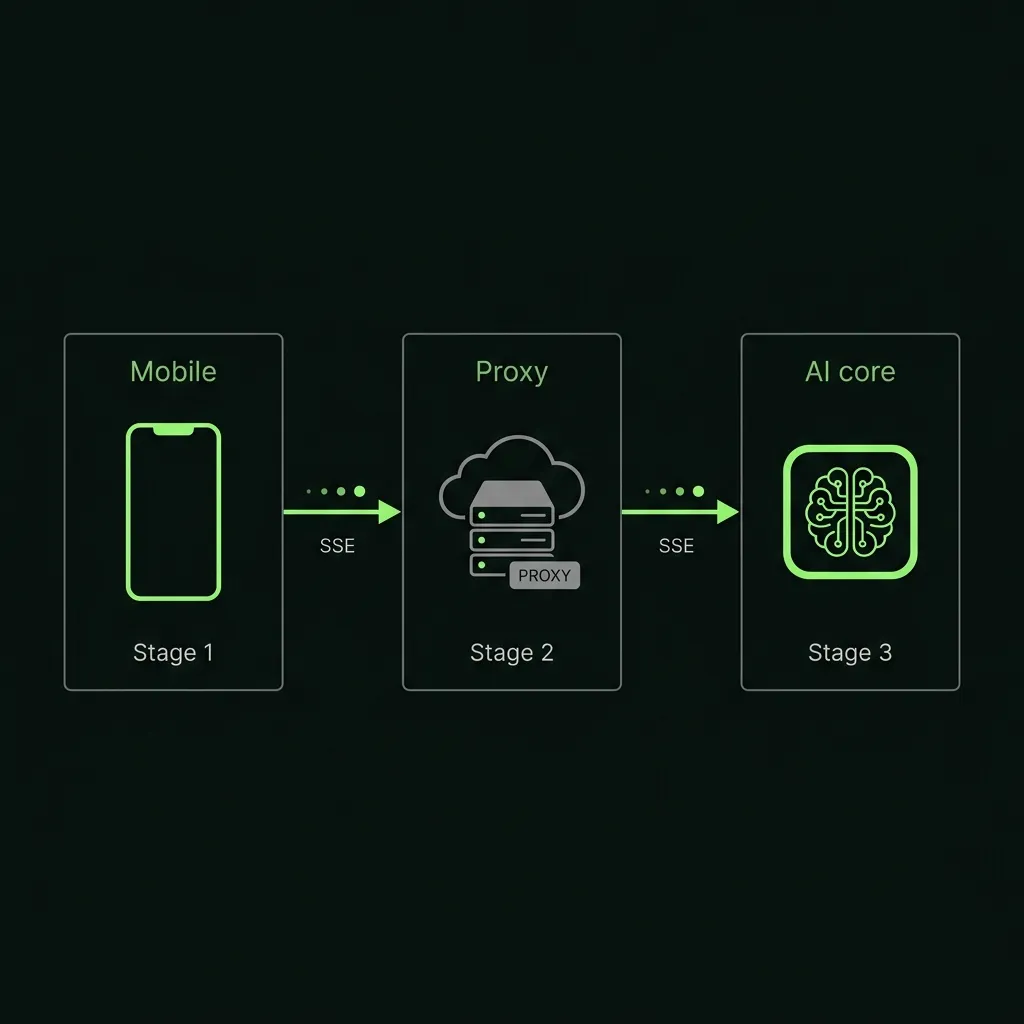
Flutter OpenAI Integration Tutorial: Streaming Chat UI with a Secure Backend Proxy
Step-by-step tutorial for integrating OpenAI's API into Flutter in 2026. Covers a secure backend proxy, non-streaming and streaming completions, a full chat UI, error handling for 429s, and cost control.
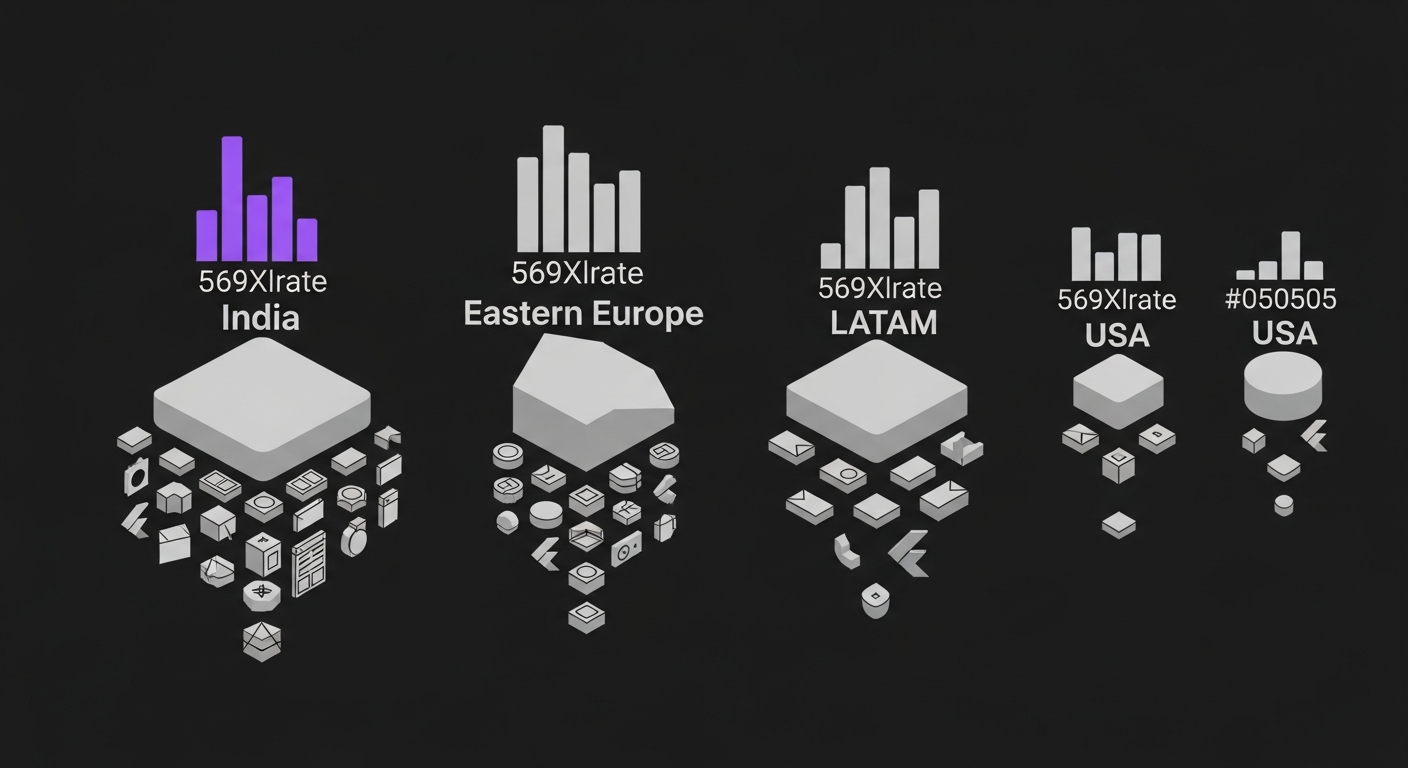
Flutter Developer Hourly Rates 2026: India vs US vs Eastern Europe vs LATAM
Honest 2026 comparison of Flutter developer hourly rates across India, USA, Eastern Europe, and LATAM. Real numbers from our hiring desk, not vendor marketing.
Hire vetted, AI-accelerated Flutter developers.
From $18/hr Junior to $60/hr Lead. 48-hour developer match. 30-day replacement guarantee.